HVAC Software: Best Options for Small HVAC Businesses Compared (2026)
Last updated October 18, 2026. This is a buyer’s guide based on each vendor’s official pricing and feature pages. Prices come from official vendor pages in US dollars before tax and can change at any time. ScopeRivo may earn a commission from some links; read our affiliate disclosure.
HVAC software is a field service platform that lets a heating and cooling company book calls, dispatch technicians, build estimates from a pricebook, sell maintenance agreements, invoice and take payment from one system. For most small HVAC businesses with one to twenty technicians, Jobber, Housecall Pro, Service Fusion or Kickserv are the easiest places to start, while ServiceTitan and FieldEdge suit shops that want deeper HVAC-specific tools and are ready for a sales-led quote.
This page is the ScopeRivo hub for HVAC software. It explains what the software covers, compares seven well-known options side by side, and shows how to pick and roll out a system without disrupting a busy season. Where we already cover a topic in depth, such as estimating or CRM, we summarize and link to it.
What HVAC software actually does
Most products sold as HVAC software are field service management tools with features tuned for heating, cooling and indoor air quality work. The core idea: one record follows each customer and unit from the first call to the paid invoice, and office and field see the same information.
Not every HVAC software product includes all of them on every plan, and the plan you pick often decides which modules you get.
Dispatch and HVAC scheduling software tools
HVAC scheduling software replaces the whiteboard and the group text. The office books a job, picks a time window, and assigns a technician based on skills, location and workload. Technicians see their day on a phone or tablet, get directions, and update job status so the office knows who is running late.
For HVAC companies, the details matter: emergency no-heat or no-cool calls need to jump the queue, maintenance visits need to be batched by area, and installs may need two or three people for a full day. Look for drag-and-drop dispatch boards, map views, and automatic arrival texts to customers.
Maintenance agreements and recurring visits
Maintenance agreements are often the steadiest revenue in a small HVAC business. Good HVAC software tracks each agreement, schedules the spring and fall tune-ups automatically, applies member discounts, and shows when an agreement is up for renewal.
If you are still writing up plan terms for your HVAC software, start with our HVAC service agreement template, then check whether the software can store those terms, bill them monthly or yearly, and remind you before each visit is due.
Flat-rate pricebook and estimates
Many residential HVAC companies quote by flat rate rather than time and materials. A digital pricebook holds each task, its price and its parts, so a technician can build a consistent quote on site and offer good, better and best options. Some platforms include a prebuilt HVAC pricebook; others let you import your own.
Estimating is deep enough to deserve its own guide. Our HVAC estimating software comparison covers load calculations, proposal tools and replacement quotes in detail, so this page only touches on how estimating fits into the wider system.
Invoicing and payments in HVAC software
Once the job is done, the technician turns the estimate or work order into an invoice, collects a signature, and takes a card or bank payment on the spot. Faster invoicing means faster cash.
Records matter here too. The IRS recordkeeping guidance says that “purchases, sales, payroll, and other transactions you have in your business generate supporting documents,” so keeping invoices and payment records in one searchable system makes tax time easier. If you are not ready for software, our contractor invoice template is a free stopgap.
CRM, equipment history and communication
A customer relationship management layer stores contact details, service addresses, past jobs, notes and the equipment installed at each home or building: brand, model, serial number, install date and filter size. That history helps technicians diagnose faster and helps the office spot systems that are due for replacement.
For a deeper look at follow-ups, lead tracking and replacement campaigns, read our guide to CRM for HVAC companies. Here, the key question is whether the HVAC software you choose has CRM built in or needs a separate tool.
How we compiled this HVAC software comparison
This is a buyer’s guide based on each vendor’s official pricing and feature pages, which we reviewed on October 18, 2026. We did not run trials of these products for this article, and we do not publish star ratings. Our editorial policy and how we test pages explain our general approach.
We chose seven vendors that small HVAC businesses commonly shortlist: Jobber, Housecall Pro, ServiceTitan, FieldEdge, Service Fusion, Workiz and Kickserv. Where a vendor publishes prices, we list them as shown on its pricing page. Where it does not, we write “Quote only” instead of guessing. Confirm everything with the vendor before you sign.
HVAC software comparison table (2026)
The table below summarizes published entry pricing and the team size each option fits best. Prices are monthly unless noted, and billing terms vary by vendor, so read the notes column carefully.
| Software | Published pricing | Users on plan | Free trial | Best fit |
|---|---|---|---|---|
| Jobber | Core from $29/mo billed annually ($49/mo with no commitment); Connect from $99/mo billed annually; Grow from $149/mo billed annually | Core: 1 user; Connect and Grow: 1, 5, 10 or 15 users; extra users $29/mo each | 14 days on Grow, no credit card | Owner-operators and small residential crews |
| Housecall Pro | Basic $59/mo billed annually ($79/mo monthly); Essentials $149/mo or $189/mo; Max $299/mo or $329/mo | Basic: 1 user; Essentials: 5 users; Max: 8 users, extra users $35/mo | 14 days, no credit card | Residential service teams that want marketing and booking tools |
| ServiceTitan | Quote only (Starter, Essentials, The Works; per-technician pricing) | Priced per technician | Demo on request | Growing shops near the top of the 1-20 tech range and above |
| FieldEdge | Quote only (Select, Premier, Elite) | Quote only | Demo on request | HVAC and plumbing shops that want flat-rate tools and QuickBooks ties |
| Service Fusion | Starter $208/mo, Plus $325/mo, Pro $533/mo billed annually ($245, $382, $627 monthly) | Unlimited users on all plans | Free demo (no free trial listed) | Teams adding office staff and techs who want a flat price |
| Workiz | Quote only (Standard, Pro, Ultimate) | Quote only | Demo on request | Call-heavy service businesses that want phone and automation tools |
| Kickserv | Start $60/mo, Run $119/mo, Scale $199/mo; annual discount offered | Start: 5 users; Run: 10 users; Scale: 20 users | 30-day free trial | Budget-minded small teams that need the basics |
Two patterns stand out in this HVAC software market. First, the tools that publish prices tend to target smaller teams, while the HVAC-specialist platforms ask you to book a demo. Second, user limits change the real cost more than the headline price, so price out your actual headcount, including office staff, before comparing.
The seven HVAC software options in brief
Each HVAC software summary below sticks to what the vendor’s official pages show and what the product is generally positioned for. Build a shortlist of two or three, then book demos or trials.
Jobber
Jobber is a general field service platform that many trades, including HVAC companies, use as their HVAC software. It covers quoting, scheduling, invoicing, online booking and a client portal, with higher tiers adding automations and marketing tools. Its tiered plans by user count make it easy to start small and add seats. If you like the workflow but want options, our Jobber alternatives guide compares similar tools.
Housecall Pro
Housecall Pro targets residential home service businesses. It offers scheduling, dispatch, estimates, invoicing, payments, reviews and marketing features, plus service plan tools on its higher plans. The jump between plans is mostly about users and add-on features, so check which tier includes the maintenance agreement features you need. Our Housecall Pro alternatives guide covers comparable choices.
ServiceTitan
ServiceTitan is built for residential and commercial trades, with HVAC as a core market. It is known for pricebook, call booking, memberships, reporting and marketing attribution features. Its pricing page says its “per-technician pricing is designed to fit your business and goals,” with each package requiring a quote. It usually makes the most sense for HVAC companies that are growing fast and have office staff to run a larger system.
FieldEdge
FieldEdge focuses on HVAC, plumbing and electrical contractors. It offers dispatching, flat-rate pricing, service agreements and accounting integration, and its plan comparison lists extra tools such as proposal and marketing add-ons. All three plans show “Request Pricing,” so you will need a demo to get a number. It is a reasonable shortlist pick for shops that want HVAC-specific workflows without the largest platform.
Service Fusion
Service Fusion stands out among the published-price options for offering unlimited users on every plan. That makes the monthly cost predictable as you add technicians and office staff, although the entry price is higher than per-user tools. Check which features sit on each tier before choosing.
Workiz
Workiz is a field service platform that emphasizes phone, messaging and automation features alongside scheduling, dispatch, invoicing and payments. Its pricing page lists Standard, Pro and Ultimate plans with “Request pricing” on each. It can suit HVAC businesses that take a high volume of inbound calls and want call tracking tied to jobs.
Kickserv
Kickserv is a lower-cost field service tool for small service businesses. Its plans are sized by user count: Start already includes expense tracking and built-in reports, and the Run plan adds GPS check-ins, dispatch mapping and custom reports. It is worth a look if you need clean scheduling, estimates and invoices and do not need the advanced memberships or pricebook depth of HVAC-specialist tools.
How to choose HVAC software by team size
Team size is the most reliable starting filter for HVAC software, because it drives both cost and how much setup work you can absorb. Treat the guidance below as a rule of thumb.
HVAC software for owner-operators (1-2 techs)
At this size, speed and simplicity beat depth. You want quick quotes, a simple calendar, text reminders and the ability to invoice and get paid before you leave the driveway. A per-user plan from Jobber, Housecall Pro or Kickserv usually covers this well. Avoid long contracts and heavy onboarding fees, because your needs will change as you hire.
Many solo owners also struggle to answer the phone while on a roof or in a crawlspace. Pairing light HVAC software with an answering service for contractors can capture calls you would otherwise miss.
HVAC software for small teams (3-8 techs)
Once you have a dispatcher or office manager, dispatch boards, maintenance agreement tracking and reporting become more important. This is the range where you should compare total cost at your real headcount across Jobber, Housecall Pro, Service Fusion and Kickserv, and also get at least one quote from an HVAC-specialist tool such as FieldEdge.
Look for technician permissions, so field staff see only what they need, and for job costing, so you can see which job types make money. A good HVAC business software setup at this stage should also connect cleanly to your accounting system.
HVAC software for growing shops (9-20 techs)
At this size, the cost of a missed call, a double-booked tech or a lapsed maintenance agreement adds up fast. HVAC-specialist platforms such as ServiceTitan and FieldEdge become more attractive because of their pricebook, membership, call booking and reporting depth. Flat-price tools like Service Fusion also deserve a look, since unlimited users can offset a higher base price.
Plan for a real implementation project: data migration, pricebook setup, training and a cutover date. Ask who does the setup work.
HVAC-specific features to check before you buy
General field service tools can run an HVAC company, but a few trade-specific features separate a good fit from a frustrating one. Use this list during HVAC software demos.
- Equipment records: store make, model, serial number, install date, warranty dates and filter sizes for each unit at each address.
- Maintenance agreement automation: recurring visit scheduling, member pricing, renewal reminders and recurring billing in the same HVAC service software.
- Flat-rate pricebook: task-based pricing with parts, good-better-best options and easy updates when supplier costs change.
- Emergency dispatch: a fast way to slot urgent no-heat or no-cool calls and notify the customer of arrival time.
- Replacement quotes: multi-option proposals with photos, financing details from your lender and e-signature.
- Technician credentials: a place to record certifications so the office knows who is qualified for refrigerant work.
- Offline mode: technicians often work in basements and attics with weak signal, so the mobile app should save work offline.
Tracking EPA Section 608 certification in your HVAC software
Refrigerant work carries federal rules. According to the US Environmental Protection Agency, technicians “who maintain, service, repair, or dispose of equipment that could release refrigerants into the atmosphere” must be certified. The EPA also states that technicians are required to pass an EPA-approved test to earn Section 608 Technician Certification.
The EPA Section 608 certification page explains the certification types. It also notes that Section 608 Technician Certification credentials do not expire, so a simple custom field or document upload on each technician profile is usually enough. This is general information, not legal advice; state and local licensing rules for HVAC contractors vary, so check with your state licensing board.
Seasonal demand and HVAC software capacity
HVAC call volume swings with the weather. The first heat wave or cold snap can double the phones overnight. During demos, ask how the dispatch board handles overflow, whether online booking can be limited by job type, and how easily you can text every maintenance customer to book early tune-ups.
Where HVAC software fits with other ScopeRivo guides
Here is how the related guides fit together, so you can read only what you need.
- For a broader look at platforms that serve many trades, read our guide to field service software for small business.
- For quoting, proposals and replacement estimates, read the HVAC estimating software guide.
- For lead follow-up and customer marketing, read CRM for HVAC.
- For writing maintenance plan terms, use the HVAC service agreement template.
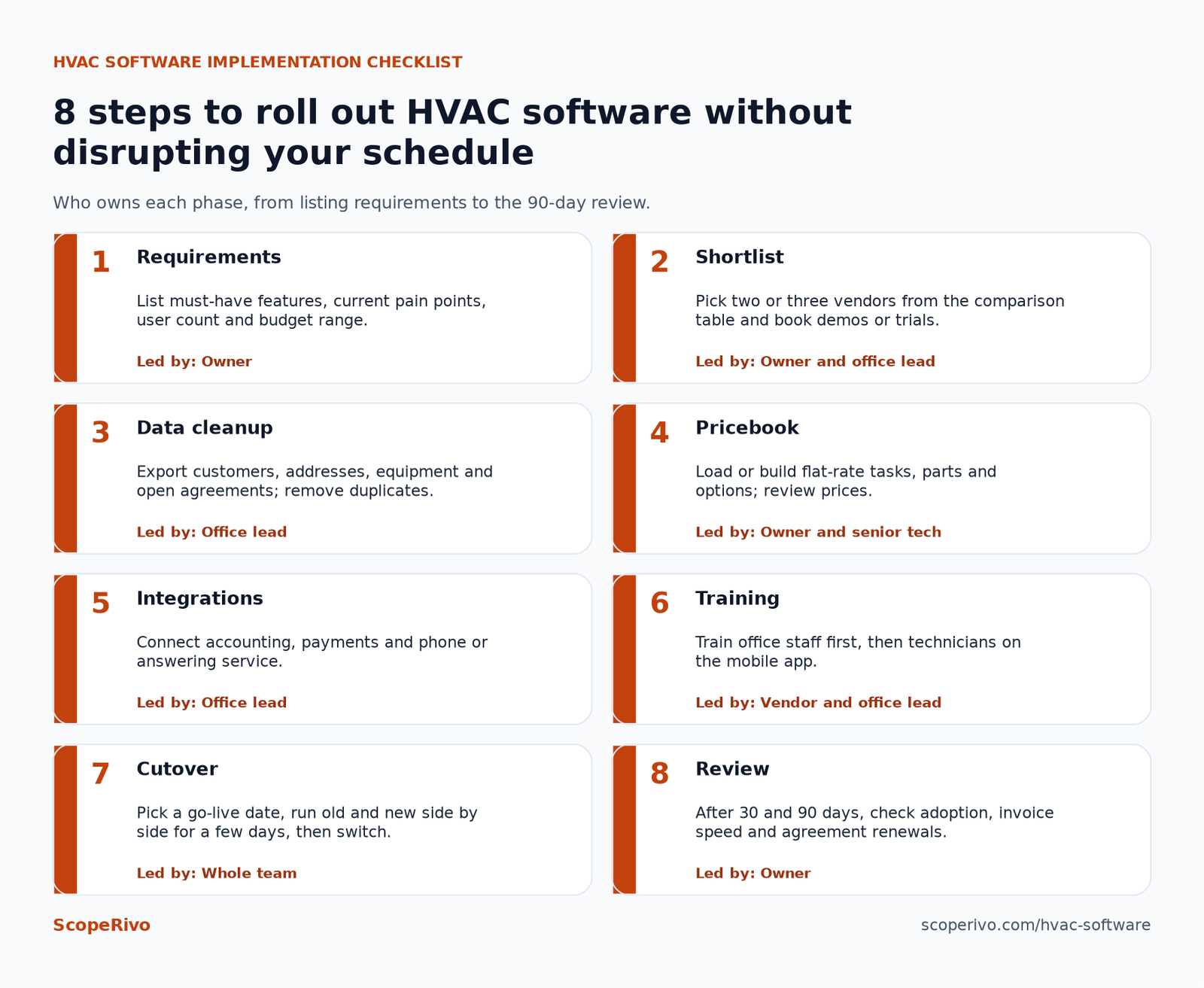
HVAC software implementation checklist
Most failed HVAC software rollouts fail because of setup, not because of the product. Small HVAC teams can avoid that with a short, structured plan. Many owners schedule the switch for a shoulder season, such as early spring or mid-fall, when call volume is lower.
| Phase | What to do | Who owns it |
|---|---|---|
| 1. Requirements | List must-have features, current pain points, user count and budget range | Owner |
| 2. Shortlist | Pick two or three vendors from the comparison table and book demos or trials | Owner and office lead |
| 3. Data cleanup | Export customers, addresses, equipment and open agreements; remove duplicates | Office lead |
| 4. Pricebook | Load or build flat-rate tasks, parts and options; review prices | Owner and senior tech |
| 5. Integrations | Connect accounting, payments and phone or answering service | Office lead |
| 6. Training | Train office staff first, then technicians on the mobile app | Vendor and office lead |
| 7. Cutover | Pick a go-live date, run old and new side by side for a few days, then switch | Whole team |
| 8. Review | After 30 and 90 days, check adoption, invoice speed and agreement renewals | Owner |
Questions to ask every HVAC software vendor
- Which plan includes maintenance agreements, recurring billing and a pricebook, and which of those cost extra?
- How is pricing calculated: per user, per technician, or a flat fee? Do office users count?
- Is there a setup or onboarding fee, and is a contract required?
- Can you import our customers, equipment records and open agreements, and who does the import?
- How does the mobile app work offline?
- Which accounting systems and payment processors does the HVAC software connect to?
- Can we export all of our data if we leave?
Common mistakes when buying HVAC software
Buying HVAC software for the business you hope to be in five years can saddle a three-tech shop with a complex system nobody uses. Buy for the next two years, and confirm the vendor offers a path upward.
Comparing headline prices without counting users is another trap. A low per-user price can end up higher than a flat-price plan once you add a dispatcher, a CSR and several techs. Run the math at your actual headcount.
Skipping the pricebook setup is a third. Flat-rate pricing only works if the prices are current and the technicians trust them. Set aside time with a senior tech to review every common task before go-live.
Finally, do not forget the people. Technicians who are used to paper tickets may resist new HVAC software. Keep the first weeks simple and ask for feedback.
Next steps
Start by writing down your team size, your three biggest daily headaches and your budget range. Use the comparison table to pick two or three HVAC software vendors, then book demos or start free trials where offered. Bring the vendor questions above to every call, and ask for a written quote that lists users, add-ons and any onboarding fees.
Spot a price that has changed? Contact us and we will review it.
Related guides
- HVAC Dispatch Software: Best Tools for Scheduling and Routing Techs (2026)
- HVAC Maintenance Checklist: Free Printable for Homes and Commercial Units (2026)
- ServiceTitan Pricing (2026): How Quotes Work and What to Ask Before You Sign
Frequently asked questions
What is the best HVAC software for a small business?
There is no single best HVAC software for every company. Owner-operators and small crews often start with tools that publish prices, such as Jobber, Housecall Pro or Kickserv. Shops near twenty technicians often compare HVAC-specialist platforms like ServiceTitan and FieldEdge, which require a quote.
How much does HVAC software cost?
Costs vary widely by vendor, plan and user count. Some vendors publish monthly prices on their pricing pages, while ServiceTitan, FieldEdge and Workiz list their plans as quote only. Always compare total cost at your real headcount, including office staff and add-ons.
Is HVAC software different from general field service software?
HVAC software is usually field service software with trade-specific extras, such as equipment records, maintenance agreement automation and flat-rate pricebooks. General tools can work well for small HVAC teams, especially if they handle recurring visits and service plans.
Can HVAC scheduling software handle emergency calls?
Most HVAC scheduling software lets the office insert an urgent call into a technician’s day and notify the customer. During demos, ask how quickly a dispatcher can reshuffle a full board, and whether customers get automatic arrival updates.
Does HVAC software track EPA refrigerant certification?
Some platforms have dedicated fields for technician credentials; others let you add custom fields or upload documents to each employee profile. The EPA says Section 608 credentials do not expire, so a stored copy of each certificate is usually enough for internal tracking.
How long does it take to switch HVAC software?
For a small team using a simple tool, setup can take days to a few weeks. Larger HVAC-specialist platforms with pricebook builds and data migration can take longer. Ask each vendor for a typical onboarding timeline for a company your size.