
Free Work Order Template: Copy-and-Paste Form + How to Use It (2026)
Last updated October 18, 2026. This guide and the free form below were written by the ScopeRivo editorial team for general business information; it is not legal or tax advice, and recordkeeping and contract rules vary by state and city. ScopeRivo may earn a commission from some links; read our affiliate disclosure.
A work order template is a reusable form that tells a technician exactly what job to do, where, for whom, and by when, then records the parts, labor, photos and customer sign-off once the work is finished. Copy the free form below, add your business details, number every job in sequence, and keep the signed copy with your invoice and job records.
Most trade and service businesses start with a paper or shared-document work order template long before they buy software. That is fine, as long as the form captures the same facts every time. This guide gives you a plain-text form you can paste anywhere, explains each field in order, and shows where a work order sits next to estimates, purchase orders and invoices.
Download the free work order template
Same form as below, ready to fill in. No sign-up needed.
- Word (.docx), editable
- Excel (.xlsx), with parts and labor totals that add up for you
- Printable PDF, 2 pages
What is a work order template, and who needs one?
A work order is an internal and customer-facing instruction for a specific job. It is created after a customer has requested work or approved an estimate, and it travels with the job until the technician closes it out. A work order template simply standardizes that document so nobody forgets the job address, the gate code, the model number or the signature line.
You need a work order template if more than one person touches a job. The office takes the call, a dispatcher schedules it, a technician performs it, and someone else bills it. Each handoff is a chance to lose details. A shared work order template keeps one version of the truth from the first phone call to the final invoice.
What a good work order template should do
- Give the technician enough detail to do the job without calling the office back.
- Record what was actually done, which may differ from what was requested.
- Capture parts and labor in a way the office can bill without guessing.
- Show that the customer approved the completed work, or noted a problem.
- Create a numbered record you can find again for warranty calls, disputes or tax questions.
Free work order template (copy and paste)
The work order template below is plain text, so it pastes cleanly into Google Docs, Microsoft Word, a notes app, an email or the custom-form area of most field service tools. Replace the bracketed labels with your own details, delete any section you never use, and save it as your master copy before you fill in the first job.
WORK ORDER
[Your Business Name] | [License / Registration No., if required]
[Business Address] | [Phone] | [Email] | [Website]
Work Order No.: WO-______      Date Created: ___/___/______
Related Estimate No.: ______   Customer PO No. (if any): ______
Priority:  [ ] Emergency  [ ] Urgent  [ ] Routine  [ ] Scheduled maintenance
Type:      [ ] Service call  [ ] Repair  [ ] Install  [ ] Maintenance  [ ] Warranty
CUSTOMER
Name / Company: ______________________________________________
Billing Address: _____________________________________________
Phone: ________________   Email: ______________________________
Preferred contact:  [ ] Call  [ ] Text  [ ] Email
JOB SITE (if different from billing)
Site Address: ________________________________________________
Unit / Area / Room: __________   Access notes / gate code: _____
Site contact on the day: ______________   Phone: _____________
Pets, parking or safety notes: ________________________________
SCHEDULE
Requested date: ___/___/______   Scheduled date: ___/___/______
Arrival window: ______ to ______
Assigned technician(s): ______________________________________
EQUIPMENT / ASSET (if applicable)
Equipment type: ______________   Make / Model: ________________
Serial No.: ___________________   Location: ___________________
Asset or tag ID: ______________   Under warranty?  [ ] Yes [ ] No
REQUESTED WORK (what the customer asked for)
______________________________________________________________
______________________________________________________________
WORK PERFORMED (what was actually done)
______________________________________________________________
______________________________________________________________
Cause / findings: ____________________________________________
Recommendations / follow-up needed: __________________________
PARTS AND MATERIALS
Qty | Part No. / Description          | Unit Price | Line Total
____|_________________________________|____________|___________
____|_________________________________|____________|___________
____|_________________________________|____________|___________
Parts subtotal: ____________
LABOR
Technician      | Date     | Time In | Time Out | Hours | Rate | Total
________________|__________|_________|__________|_______|______|______
________________|__________|_________|__________|_______|______|______
Labor subtotal: ____________
Trip / service fee (if any): ____________
PHOTOS AND ATTACHMENTS
[ ] Before photos taken   [ ] After photos taken   Count: _____
[ ] Readings / test results attached   [ ] Permit or inspection noted
CHANGES TO THE ORIGINAL SCOPE
Description of change: _______________________________________
Customer approved change?  [ ] Yes  [ ] No   Initials: ______
COMPLETION AND SIGN-OFF
Job status:  [ ] Completed  [ ] Partially completed  [ ] Return visit needed
Technician signature: ________________   Date: ___/___/______
Customer signature: __________________   Date: ___/___/______
Customer comments: ___________________________________________
OFFICE USE
Invoice No.: ______   Invoiced on: ___/___/______   Closed by: ______
Keep this work order template as a locked master file and make a copy for each job. If you print it, a two-part carbonless book or a simple two-copy print run gives the customer one copy and the office the other.
How to adapt the work order template for your trade
- HVAC: add refrigerant type, system tonnage, filter size and before-and-after temperature readings under Equipment.
- Plumbing: add fixture type, shutoff location and whether a water heater or backflow device was serviced.
- Electrical: add panel location, circuit numbers and a line for permit or inspection references.
- Property maintenance: add unit number, tenant notice given, and the property manager who approved the request.
How to fill out a work order template, field by field
The order of the work order template follows the life of the job. Fill in the top half when the request comes in, hand the work order to the technician, and let the technician complete the bottom half on site. Here is what each block is for and the mistakes to avoid.
Work order template header and number
Put your legal business name, phone and any license or registration number your state or city requires on documents at the top. The work order number is the most important field on the page. It ties the job to the estimate before it and the invoice after it, so never reuse a number and never skip one without a note explaining why.
Add the related estimate number and, for commercial clients, the customer’s purchase order number. Many property managers and facilities departments will not pay an invoice that does not quote their PO, so capturing it at dispatch saves a rejected bill later.
Customer and job site details
Separate the billing address from the job site address. A landlord, property manager or general contractor often pays for work at a location they do not live in. Record the on-site contact for the day, access instructions, parking notes and any safety warnings, such as dogs, a locked electrical room or a tenant who needs advance notice.
Priority, type and schedule
The priority field on a work order template tells the dispatcher what to do first. Keep the labels simple and define them in writing for your team, for example emergency means same day and routine means the next open slot. The job type checkboxes help you report later on how much of your work is repair, installation, maintenance or warranty.
Requested work vs work performed
Keep these two boxes separate on your work order template. The requested work is what the customer described on the phone. The work performed is what the technician found and fixed. A customer who called about a noisy furnace may end up with a replaced blower motor, and the gap between the two descriptions is exactly what you need when a customer later asks why the bill looks different.
Consumer guidance from the City of Boston recommends that a home improvement contract include “a detailed description of the work and materials to be used”. A work order is not a contract, but the same habit applies: describe the work in specific, plain words instead of “fixed unit”.
Parts and materials lines on a work order template
List each part on its own line with quantity, part number or description, unit price and line total. Separate lines make it easy to restock the truck, match supplier bills and answer warranty questions. If you mark up materials, decide whether the work order shows your cost or the customer price, and keep that rule consistent across every job.
Labor lines
On the labor block of the work order template, record each technician, date, time in and time out. Total hours by person rather than writing one lump number. Clear labor lines support accurate invoicing, help you check whether flat-rate jobs are priced correctly and give you payroll backup. If you charge a trip or service fee, show it on its own line so customers see it clearly.
Photos, readings and attachments
Before-and-after photos are the cheapest dispute protection a small business has. The City of Boston advises homeowners who see a problem to “bring it up right away and take pictures to save them for proof.” The same logic protects you: photos show the condition you found, the work you did and the condition you left behind. Note the photo count on the work order template so the office knows to look for them.
Changes to the original scope
Jobs change once a wall is opened or a unit is tested. When the scope grows, stop, explain the change, and get the customer’s written approval or initials before doing the extra work. Boston’s consumer guidance tells homeowners to “Make sure you get any changes to the contract in writing.” Larger changes usually call for a separate change order or revised estimate rather than a quick note.
Work order template sign-off and completion
The technician marks the job completed, partially completed or needing a return visit, then signs and dates the form. The customer signs to acknowledge the work was performed.
Work order numbering systems that stay clean
A numbering system only has two jobs: every work order gets a unique number, and you can find any work order quickly later. Pick one format for your work order template, write it down and use it for every job. The table below compares common work order template numbering formats used by small service businesses.
| Format | Example | Best for | Watch out for |
|---|---|---|---|
| Simple sequence | WO-1001, WO-1002 | Solo operators and small crews | Two people creating numbers on paper at the same time |
| Year plus sequence | WO-2026-0147 | Businesses that review jobs by tax year | Restarting the count each January without the year prefix |
| Technician or truck prefix | WO-T3-0088 | Paper books issued to each truck | Numbers that no longer make sense when staff change |
| Customer or site code | WO-OAKST-012 | Property maintenance and recurring sites | Long codes that are easy to mistype |
| Software-generated | Auto-assigned by the app | Teams using field service software | Mixing manual numbers with automatic ones |
Work order vs purchase order vs invoice vs estimate
These four documents are often confused because they share fields. The difference is who creates the document, when it is created and what it commits someone to do. Understanding work order vs purchase order in particular matters if you serve commercial clients, schools, property managers or government buyers.
| Document | Who issues it | When | Main purpose |
|---|---|---|---|
| Estimate or quote | Your business | Before the job is approved | Proposes scope and price for the customer to accept |
| Purchase order (PO) | The buyer (customer or your business buying supplies) | Before goods or services are delivered | Authorizes a purchase and sets agreed terms on the buyer’s side |
| Work order | Your business (or a facilities department, internally) | After approval, before and during the job | Tells the technician what to do and records what was done |
| Invoice | Your business | After the work is complete | Requests payment for the completed work |
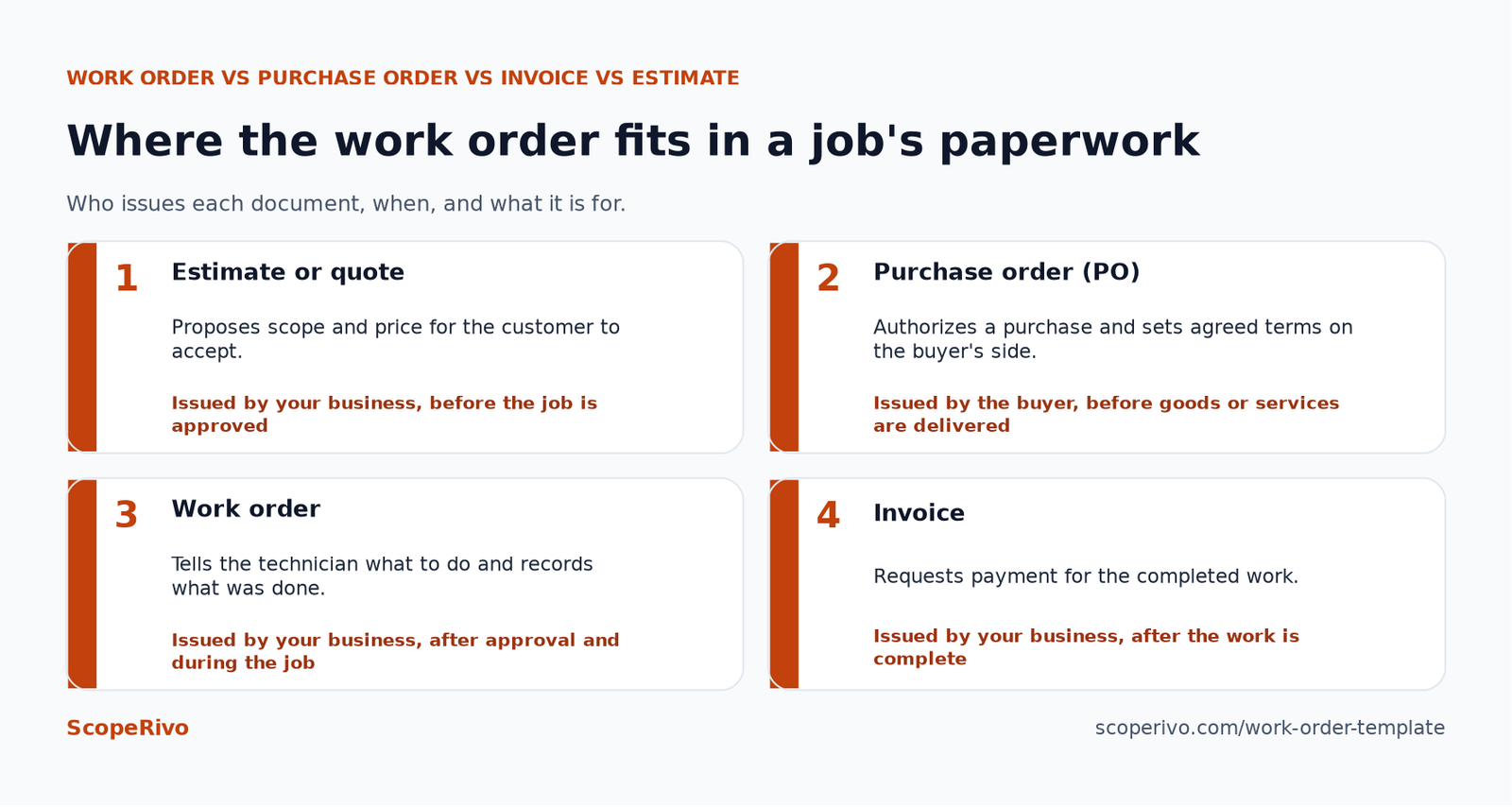
Work order vs purchase order: the short version
A purchase order comes from the buyer and says “we agree to buy this”. A work order comes from the business doing the work, or from a facilities team assigning work internally, and says “go do this job”. A commercial client may send you a PO first; you then create your own work order that references their PO number, complete the job, and send an invoice quoting both numbers.
Where the invoice takes over
A completed work order template becomes the source document for the invoice. Parts lines, labor lines and fees carry over, and the work order number appears on the invoice for reference. If you need a billing layout to pair with this form, our contractor invoice template uses matching fields so the handoff is quick.
Maintenance work order form vs service work order
Both documents use the same work order template backbone, but they serve different situations. Choosing the right version keeps the form short for the technician while still capturing what the office needs.
Maintenance work order form
A maintenance work order form covers planned or recurring work on equipment or property: filter changes, seasonal tune-ups, inspections, preventive tasks under a service agreement, or repairs logged by a facilities team. It usually adds an asset ID, a task checklist, the maintenance interval and the date the next visit is due. The customer may already be on a contract, so pricing is often covered by the agreement rather than quoted per visit.
If you sell recurring maintenance plans, pair this form with a written agreement such as our HVAC service agreement template, and reference the agreement number on each maintenance visit.
Service work order
A service work order covers reactive, one-off jobs: a leak, a breaker that keeps tripping, a unit that will not start. It puts more weight on the customer’s description of the problem, diagnosis notes, parts used, labor time and approval of any extra work. Pricing is usually calculated per job, so parts and labor lines need to be complete before the technician leaves.
Work order template checklist before the technician leaves the site
Run through this list each time you close out a work order template. It takes a minute and prevents most of the back-and-forth between the field and the office.
- The work order number is on the form and matches any estimate or customer PO.
- Work performed is written in specific language, not just “repaired”.
- Every part used is listed with quantity and description.
- Time in and time out are recorded for each technician.
- Before and after photos are taken and the count is noted.
- Any change to the scope has the customer’s written approval or initials.
- Recommendations and follow-up items are written down, even if the customer declined them.
- The technician and the customer have both signed and dated the form.
- The job status is marked so the office knows whether to invoice or schedule a return.
Keeping work order records: what official sources say
Every completed work order template is part of your business records, not just a scheduling note. The IRS explains that “Purchases, sales, payroll, and other transactions you have in your business generate supporting documents.” Work orders, together with the related invoices and receipts, help show what work was done and what was charged.
On its small business recordkeeping page, the IRS also notes that “Good records will help you monitor the progress of your business, prepare your financial statements” and support your tax filings. On retention, it states: “You must keep your records as long as needed to prove the income or deductions on a tax return.” Ask your tax professional how long that is for your situation.
Customers are being told to expect paperwork, too. California’s Contractors State License Board advises homeowners on its consumer page to “Include a payment schedule in your written contract.” The City of Boston’s home improvement tips push homeowners toward written, signed agreements as well. Rules differ by state and city, so check what your licensing agency requires for contracts and documents.
Common work order template mistakes
- Vague descriptions. “Fixed AC” protects nobody. Write what was found, what was replaced and what was tested.
- No customer signature. Without one, a dispute becomes your word against theirs.
- Too many fields. A work order template that takes ten minutes to fill out will be skipped. Delete sections you never use.
- Different versions in circulation. Keep one master work order template and retire old copies.
When to move from a work order template to software
A paper or document-based work order template works well for a solo operator or a small crew. Signs that you have outgrown it include lost forms, jobs that are completed but never invoiced, double-booked technicians, customers asking for status updates you cannot give, and hours spent retyping work orders into accounting software.
Field service management software turns the fields of your work order template into a digital form the technician completes on a phone or tablet. Most tools in this category can attach photos, capture signatures, convert a completed job to an invoice and keep customer and equipment history in one place. Feature sets and plan limits vary, so check each vendor’s official pricing and feature pages before you commit.
Start with our buyer’s guide to field service software for small business, which compares options using vendors’ official pricing and feature pages. If you already use Jobber or Housecall Pro and want to compare, see our guides to Jobber alternatives and Housecall Pro alternatives.
How to move your work order template into software
- List every field on your current work order template and mark which ones your team actually fills in.
- Match those fields to the standard and custom fields in the software you are trialing.
- Set the software’s starting work order number above your last paper number so records never overlap.
- Run paper and digital side by side for a short period, then retire the paper version.
Related guides
- Free Roofing Estimate Template: Copy-Ready Layout + Example (2026)
- Free Painting Estimate Template + How to Price a Paint Job (2026)
- Free Contractor Proposal Template That Wins More Jobs (2026)
Frequently asked questions
What should a work order template include?
At minimum, a work order template should include a unique work order number, customer and job site details, the requested work, the work performed, parts and materials, labor time, photos or notes, any approved scope changes, and signatures from the technician and the customer.
Is a work order the same as an invoice?
No. A work order template tells the technician what to do and records what was done. An invoice requests payment after the work is complete. The completed work order is usually the source document for the invoice, and both should share the same reference number.
What is the difference between a work order vs purchase order?
A purchase order is issued by the buyer to authorize a purchase. A work order is issued by the business doing the work, or by a facilities team internally, to assign and document a job. A commercial customer may send a PO, and your work order then references that PO number.
Can I use this work order template for free?
Yes. The work order template on this page is free to copy, edit and use for your own business. Add your business name and any license details your state or city requires, and review the wording with your own advisers if you work in a regulated trade.
Should the customer sign a work order?
It is a good practice. A customer signature on the completed work order template confirms the work was performed and gives you a record if questions come up later. Some customers will also initial approved scope changes on the same form.
How long should I keep completed work orders?
Treat each completed work order template as a business record. The IRS says records should be kept as long as needed to prove income or deductions on a tax return, and the period depends on the record. Warranty and contract obligations may require longer. Ask your tax professional and check your state’s rules.