Electrical Estimating Software: Best Options for Contractors Compared (2026)
Last updated October 18, 2026. This is a buyer’s guide based on each vendor’s official pricing and feature pages; prices come from official vendor pages in US dollars before tax and can change at any time. ScopeRivo may earn a commission from some links; read our affiliate disclosure.
The best electrical estimating software depends on the work you bid. For commercial and new construction bids, dedicated suites such as McCormick Systems, Trimble Accubid Anywhere and ConEst IntelliBid combine digital takeoff, material databases and labor units. For residential service calls and small jobs, field service apps such as Jobber, Housecall Pro, ServiceTitan, Simpro and Tradify build fast, good-better-best quotes that customers can approve online.
Most small and mid-sized electrical contractors waste hours on spreadsheets, highlighters and copied price lists before they ever send a number. The right electrical estimating software turns a set of drawings or a site visit into a consistent, defensible price. The wrong one adds a second system nobody updates. This guide explains the three types of tools, compares eight options using only what each vendor publishes, and walks through a practical estimating workflow you can use whichever product you pick.
How we compiled this electrical estimating software guide
We did not run hands-on trials of these products. Instead, this is a buyer’s guide based on each vendor’s official pricing and feature pages, checked on October 18, 2026. Where a vendor publishes a price, we list it exactly as shown. Where a vendor asks you to request a demo or talk to sales, we write “Quote only” rather than guessing. You can read more about our approach on our how we review software page and in our editorial policy.
Electrical estimating software at a glance (2026)
The table below summarizes each option by type and best fit. Use it to shortlist two or three tools, then book demos or free trials and run the same real job through each one before you decide.
| Tool | Type | Best fit | Plan takeoff | Published starting price |
|---|---|---|---|---|
| McCormick Systems | Estimating and takeoff suite | Commercial, industrial and residential bid work | Yes, with auto-count | Quote only |
| Trimble Accubid Anywhere | Cloud estimating suite | Electrical and industrial mechanical contractors | Yes, graphical takeoff | Quote only |
| ConEst IntelliBid | Estimating suite with SureCount takeoff | Electrical, low voltage, datacom and solar | Yes, via SureCount | Quote only |
| Jobber | Field service app with quoting | Residential service and small jobs | No | $29/mo billed annually (Core, 1 user) |
| Housecall Pro | Field service app with estimates | Residential service crews | No | $59/mo billed annually (Basic, 1 user) |
| ServiceTitan | Field service platform with pricebook | Larger residential and commercial service shops | No | Quote only |
| Simpro | Field service and project management | Service plus project work | Check with vendor | Quote only |
| Tradify | Job management app with quoting | Small trade teams | No | $47 per user/month (Lite) |
Takeoff vs estimating vs service quotes: three kinds of electrical estimating software
Electrical estimating software vendors use the same words for very different products, so it helps to separate the jobs a tool does. A plan-based bid needs counts and lengths from drawings, then labor and material math, then a proposal. A service call needs a fast price from a pricebook while the technician is still in the customer’s home. Few products do both equally well.
Electrical takeoff software
Electrical takeoff software measures and counts directly from PDF or electronic drawings. You click devices, trace conduit and wire runs, and the tool totals quantities by system, floor or phase. ConEst describes its SureCount module as a way to “count, measure, and take off directly from electronic drawings,” which is the core job. Takeoff on its own does not produce a price; it feeds quantities into an estimating database.
Full electrical estimating software and bidding suites
Full electrical bidding software combines takeoff with a large item and assembly database, labor units, material pricing feeds, markup and bid summaries. This is where McCormick, Accubid and IntelliBid sit. These suites are built for estimators who price commercial, industrial or multi-family work from plans, often against tight bid deadlines, and who need alternates, change orders and consistent labor across every bid.
Service-quote apps as electrical estimating software
Field service apps treat the estimate as one step in a job that also includes scheduling, dispatch, invoicing and payment. They rarely do plan takeoff. Instead, they focus on a reusable price list, options and online approval. If most of your revenue comes from panel upgrades, EV charger installs, troubleshooting and small remodels, an electrician estimating app from this group may be all you need. Our guide to field service software for small business covers that category in more depth.
The best electrical estimating software options compared
Below is a closer look at each electrical estimating software product, based on what its official pages say. Features change often, so confirm anything that matters to you during a demo.
McCormick Systems: electrical estimating software for plan-based bids
McCormick Systems sells electrical estimating software aimed at contractors who bid from drawings. Its site highlights auto-count and a patented Auto Home Run feature for takeoff, plus bid proposals and material lists generated from the takeoff. The McCormick FAQ describes a customizable database with 55,000+ items and 25,000 prebuilt assemblies for fast, accurate material estimating, and says it offers databases for both the USA and Canada.
McCormick does not publish prices on its site; you request a demo to get a quote. It suits shops that bid residential, commercial and industrial projects and want one system for takeoff and pricing.
Trimble Accubid Anywhere: cloud electrical estimating software
Trimble describes Accubid Anywhere as a cloud-based estimating solution for electrical and industrial mechanical contractors, combining estimating, graphical takeoff and integrated material pricing in one subscription. On labor, Trimble says you can use your company’s custom productivity units or preloaded standard industry labor rates, which matters if you already have years of tracked labor data.
Trimble lists no public prices for Accubid Anywhere; the product page directs buyers to talk to sales or request a demo.
ConEst IntelliBid electrical estimating software
ConEst positions IntelliBid as “fast, accurate, consistent estimates for electrical, low voltage, datacom, and solar contractors,” which makes it a fit for shops that also bid structured cabling or solar. It comes in Standard, Plus and Pro editions, connects to the SureCount takeoff module, and offers an analytics add-on called Conest Connect.
ConEst says automatic labor factoring takes the guesswork out of calculating labor for every job, and it lists integrations with third-party material pricing services for price updates. No prices are published; you request a demo or contact the company for a quote.
Jobber
Jobber is a field service platform rather than a takeoff tool, but it can serve as lightweight electrical estimating software for residential work. Jobber’s quote help article explains that quotes serve as professional estimates you provide to clients, and customers can view the quote online to request changes or approve it. Approved quotes convert into jobs, so the price flows into scheduling and invoicing without retyping.
Quoting is included on every Jobber plan, and the pricing page lists a 14-day free trial on the Grow plan with no credit card required. See the pricing table below for published plan prices. If you are weighing it against similar tools, our Jobber alternatives roundup covers other options.
Housecall Pro
Housecall Pro includes estimates and invoicing on all plans, along with quotes and proposals. As electrical estimating software, it is built for residential service crews who want to send an estimate from a phone, follow up automatically and turn the approved estimate into a scheduled job. It does not offer plan takeoff, so it is best for service and small project work.
The Housecall Pro pricing page lists three tiers and a 14-day free trial with no credit card required. Published prices appear in the pricing table below.
ServiceTitan
ServiceTitan is a larger field service platform whose pricebook works as electrical estimating software for service technicians, letting them present standardized options on site. It is aimed at bigger residential and commercial service operations with dedicated office staff. The ServiceTitan pricing page describes per-technician pricing and shows a Request Pricing button for its Starter, Essentials and The Works plans, so treat it as quote only.
Simpro
Simpro combines quoting, job management, scheduling and project tools, and it markets to electrical, plumbing, HVAC and security businesses that run both service and project work. The Simpro pricing page shows a base plan plus add-ons with a Request Pricing button rather than published prices. Ask in the demo whether takeoff is included or needs a separate tool.
Tradify
Tradify is a job management app for small trade teams that covers quoting, scheduling, timesheets and invoicing. It is a simple electrician estimating app for crews that want quotes and job tracking without a large system. The Tradify pricing page lists per-user plans and a free 14-day trial; see the table below for published figures.
Electrical estimating software pricing in 2026
Pricing splits cleanly by category. Plan-based estimating suites almost always require a sales conversation, while field service apps publish monthly plans. The figures below are exactly as shown on each vendor’s official page on October 18, 2026.
| Tool and plan | Published price | Billing notes |
|---|---|---|
| McCormick Systems | Quote only | Request a demo |
| Trimble Accubid Anywhere | Quote only | Talk to sales |
| ConEst IntelliBid (Standard, Plus, Pro) | Quote only | Request a demo |
| Jobber Core (1 user) | $29/mo billed annually; $49/mo with no commitment | USD, excluding sales tax; free trial is listed on the Grow plan |
| Jobber Connect (1 user) | $99/mo billed annually; $139/mo with no commitment | Larger user tiers listed on the vendor page |
| Jobber Grow (1 user) | $149/mo billed annually; $199/mo with no commitment | Additional users $29/mo each |
| Housecall Pro Basic (1 user) | $59/mo billed annually; $79/mo billed monthly | 14-day free trial |
| Housecall Pro Essentials (5 users) | $149/mo billed annually; $189/mo billed monthly | Time-limited promotions may apply |
| Housecall Pro Max (8 users) | $299/mo billed annually; $329/mo billed monthly | $35/mo per additional user |
| ServiceTitan (Starter, Essentials, The Works) | Quote only | Per-technician pricing |
| Simpro | Quote only | Base plan plus add-ons |
| Tradify Lite / Pro / Plus | $47 / $51 / $61 per user/month | Free 14-day trial; Custom plan priced by request |
When you compare electrical estimating software costs, count every person who will build or send estimates, plus any add-ons for takeoff, pricing feeds or reporting. A cheaper per-month app can cost more over a year if you need several users, while a quote-only suite may include training and database setup. Ask each vendor for a written quote that lists users, modules, onboarding and renewal terms.
How to choose electrical estimating software for your shop
Start with your job mix, not the feature list. Pull your last three months of won and lost work and sort it into plan-based bids and service or small jobs. That split usually points straight to the right category of electrical estimating software.
If you mostly bid new construction and tenant improvement work
You need real takeoff, assemblies and labor units. Shortlist the dedicated suites and ask each vendor to run one of your recent drawing sets live in the demo. Watch how fast the estimator can count devices, measure runs and apply assemblies, and how cleanly alternates and change orders are handled. Electrical estimating software in this group should also export a material list your supplier can price.
If you mostly do service calls and small jobs
You need speed at the door, a reusable price list, good-better-best options and online approval. A field service app is usually a better fit than a takeoff suite here. Electrical estimating software for service work should also handle deposits, follow-ups and the handoff to invoicing. Our HVAC estimating software guide covers similar service-quote features from the HVAC side.
If you need electrical estimating software for both
Many growing shops run two tools: a takeoff suite for the estimator and a field service app for technicians. That can work well if the two do not overlap. Decide which system owns customer records and invoicing, and keep the bid tool focused on pricing. Some platforms, such as Simpro, aim to cover service and project work in one system, so compare that option during demos.
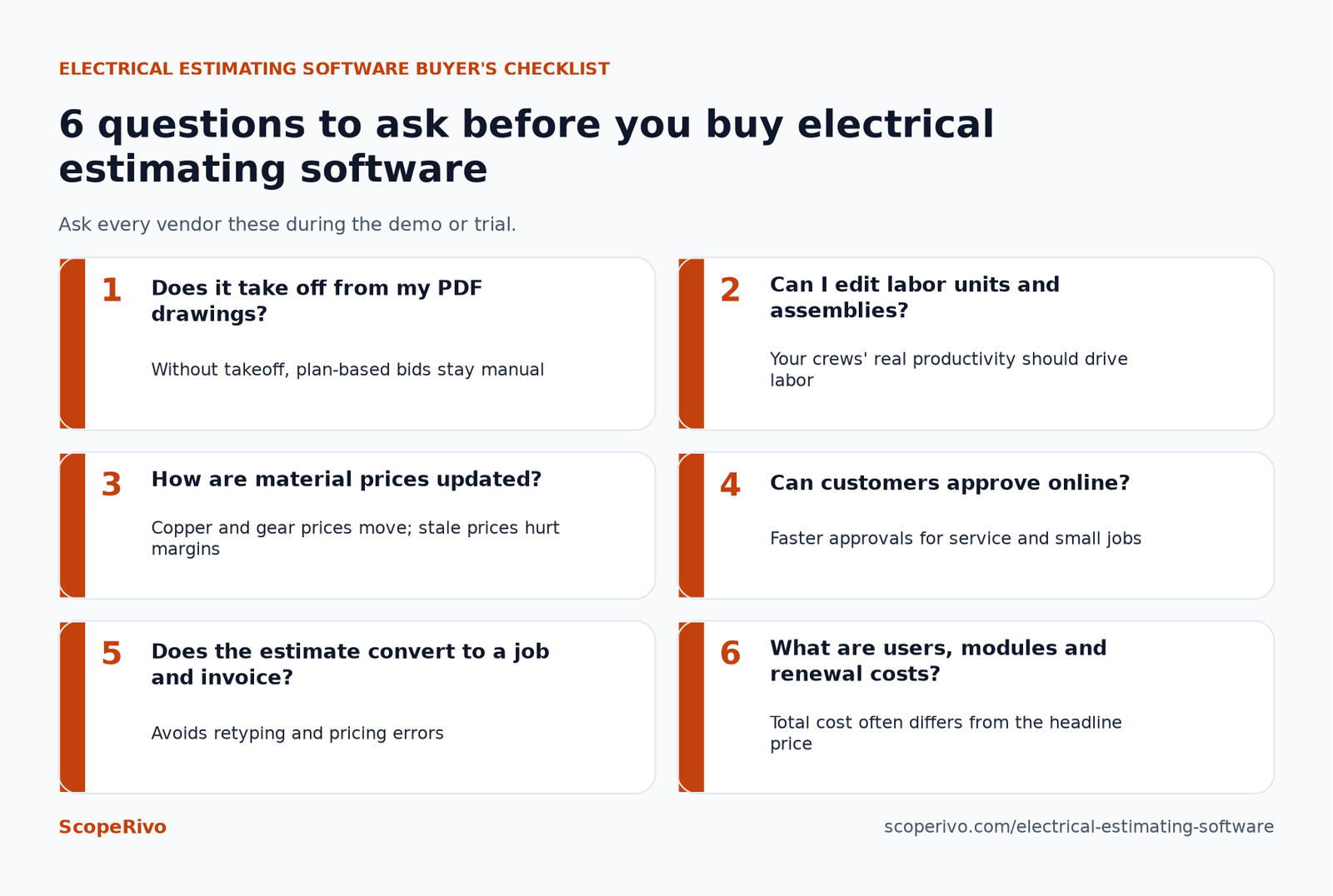
| Question to ask | Why it matters |
|---|---|
| Does it take off from my PDF drawings? | Without takeoff, plan-based bids stay manual |
| Can I edit labor units and assemblies? | Your crews’ real productivity should drive labor |
| How are material prices updated? | Copper and gear prices move; stale prices hurt margins |
| Can customers approve online? | Faster approvals for service and small jobs |
| Does the estimate convert to a job and invoice? | Avoids retyping and pricing errors |
| What are users, modules and renewal costs? | Total cost often differs from the headline price |
An electrical estimating software workflow, step by step
Whatever electrical estimating software you choose, a repeatable process matters more than any single feature. This workflow works for plan-based bids and adapts easily to larger service jobs.
- Qualify the bid. Confirm scope, deadline, bid form, addenda and whether the project fits your crew size and bonding capacity before you spend estimating hours.
- Organize drawings and specs. Load the electrical sheets, panel schedules, fixture schedules and specification sections into your electrical takeoff software and set the scale on every sheet.
- Take off devices and runs. Count fixtures, devices and equipment, then measure conduit, cable and feeders by system. Color-code by area or phase so you can price alternates later.
- Apply assemblies. Use assemblies for repeated items, such as a receptacle with box, ring, plate and wire, so every count carries its full material list.
- Apply labor units and factors. Start from your tracked productivity or the database defaults, then adjust for height, access, occupied spaces and schedule pressure.
- Price material. Refresh prices from your supplier or pricing service, and get written quotes for switchgear, lighting packages and long-lead items.
- Add indirect costs and markup. Include supervision, equipment rental, permits, travel, small tools and overhead, then apply your profit margin.
- Review and send the proposal. Have a second person check quantities and totals, list inclusions and exclusions clearly, and send the bid in the format requested.
For service work, the same logic shrinks to a few taps: pick pricebook items, show options, collect approval and schedule the job. After the work is done, a clear invoice closes the loop; our free contractor invoice template shows the fields to include if your app does not generate invoices.
Labor units, material pricing and records
Labor is usually the biggest swing factor in an electrical bid, so the way your electrical estimating software handles labor deserves the most attention in a demo. Trimble notes that buyers can use your company’s custom productivity units or preloaded standard industry labor rates. Database labor units are a starting point, not a promise; your own job-cost history shows how your crews actually perform.
Material pricing is the second swing factor. Ask each electrical estimating software vendor how its database is updated, which supplier or pricing services it connects to, and whether you can lock prices for a bid. Keep the supplier quotes behind your big-ticket items with the estimate file.
Good records from your electrical estimating software also help at tax time. The IRS notes that purchases, sales, payroll, and other transactions you have in your business generate supporting documents, and its recordkeeping guidance explains what to keep. This is general information, not tax advice; ask your accountant how long to keep bid files and supplier invoices.
Mistakes to avoid when buying electrical estimating software
- Buying for a job mix you do not have. A full takeoff suite is wasted on a shop that mostly runs service calls, and a phone quoting app will not handle a hospital bid.
- Ignoring setup time. Building assemblies, labor units and pricebooks in new electrical estimating software takes real hours, so ask what onboarding and training each vendor includes.
- Not planning the handoff. Decide how an accepted estimate becomes a job, a purchase order and an invoice before you sign, or you will retype numbers.
- Comparing headline prices only. Users, modules and annual terms change the real cost of electrical estimating software, so compare written quotes side by side.
Next steps
Sort your recent jobs into plan-based bids and service work, then shortlist two tools from the matching category. Book demos for the quote-only suites and start free trials for the field service apps, and run the same real job through each. Pick the electrical estimating software that produces an accurate, professional estimate fastest with the fewest manual steps. If you also handle customer calls during busy seasons, our guide to an answering service for contractors can help you capture more of the leads your estimates depend on.
Related guides
- Plumbing Estimating Software: Best Options for Small Plumbing Businesses (2026)
- Free Construction Estimate Template + How to Price a Job (2026)
- Free Roofing Estimate Template: Copy-Ready Layout + Example (2026)
Frequently asked questions
What is electrical estimating software?
Electrical estimating software helps contractors calculate the material, labor and overhead cost of electrical work and turn it into a bid or quote. Plan-based tools add digital takeoff from drawings, assemblies and labor units, while field service apps focus on price lists, options and online customer approval for service calls.
What is the difference between electrical takeoff software and estimating software?
Takeoff software counts and measures items from drawings, such as fixtures, devices and conduit runs. Estimating software applies material prices, labor units, overhead and markup to those quantities to produce a price. Many suites, including McCormick, Accubid and IntelliBid with SureCount, combine both in one workflow.
Is there free electrical estimating software?
None of the dedicated plan-based suites in this guide publish a free plan. Several field service apps offer free trials instead: Jobber, Housecall Pro and Tradify each list a 14-day free trial on their official pricing pages. A spreadsheet can stand in for electrical estimating software on very small jobs, but it lacks takeoff, assemblies and pricing updates.
Which electrical estimating software is best for residential service work?
For residential service and small jobs, a field service app with good quoting is usually the better fit. Jobber, Housecall Pro, Tradify, Simpro and ServiceTitan all include quoting tied to scheduling and invoicing. Larger service shops often look at ServiceTitan’s pricebook, while smaller crews tend to start with simpler published-price plans.
How much does electrical estimating software cost?
Electrical estimating software cost depends on the category. McCormick, Accubid Anywhere, IntelliBid, ServiceTitan and Simpro do not publish prices and require a quote. Jobber, Housecall Pro and Tradify publish monthly plans on their official pricing pages; see the pricing table in this guide for figures as of October 18, 2026.
Can an electrician estimating app replace a full bidding suite?
For service calls and small remodels, often yes. For commercial or new construction bids from drawings, usually not, because most service apps do not include plan takeoff, large assembly databases or bid summaries. Many shops pair a field service app with dedicated electrical bidding software when they do both kinds of work.